Manage enrolments
Edit, defer, withdraw, or move an enrolment record when a learner's situation changes.
Purpose
Keep enrolment records accurate by updating status, dates, funding details, or moving learners to a different offering when needed.
When to use
When a learner defers to a later intake, withdraws from a course, changes funding arrangements, or needs to be moved to a different class or offering.
Steps
- 1Click Enrollment Registry in the left sidebar to open the full enrolments list.
- 2Use the status filter buttons (All, Pending, Active, Completed, Deferred, Cancelled, Withdrawn) or the search to find the enrolment.
- 3To edit enrolment details (dates, funding, notes), click the Edit icon (pencil) on the enrolment row, update the required fields, and click Save.
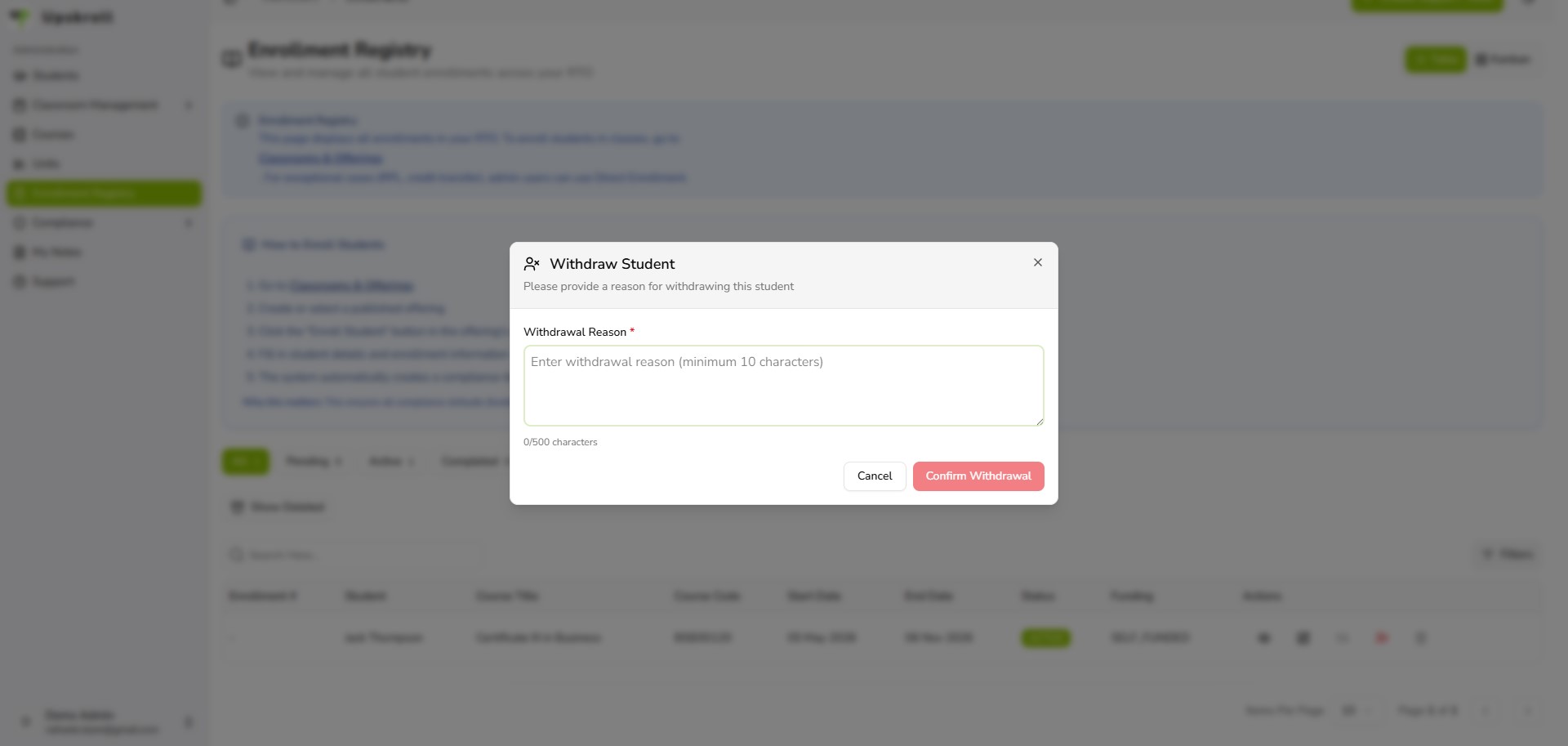
- 4To withdraw a student, click the Withdraw icon (person-X icon) on an Active enrolment. You will be asked for a withdrawal reason (minimum 10 characters). Enter the reason and confirm.
- 5To move a learner to a different Delivery Offering, click the Move Learner icon (arrows icon) on the enrolment row and select the new offering.
- 6To view full enrolment details without editing, click the View Details icon (eye icon).
What happens next
- The enrolment record is updated with the new status, dates, or details.
- The student profile reflects the change immediately.
- AVETMISS exports and compliance filters will use the updated enrolment data.
- Withdrawal and deferral reasons are stored on the record for audit purposes.
Tips
- Always enter a meaningful withdrawal reason — vague reasons make audits and trend analysis harder later.
- Use Deferred for a learner pausing temporarily; use Withdrawn for a formal exit. These have different AVETMISS implications.
- Cancelled and Pending enrolments can be deleted; Active enrolments cannot. Use Withdraw or Cancel rather than delete for enrolments with any activity.
- The Kanban view (toggle top-right) lets you see enrolments grouped by status as cards — useful for a quick visual review of your cohort pipeline.
- If you need to bulk-update enrolments, contact support — bulk enrolment import is available for SUPER_ADMIN.